Scenarios
Run hundreds of test conversations in minutes — catch failures before your customers do
Scenarios
You wouldn't ship code without tests. Scenarios are unit tests for AI agents.
A scenario defines a situation — "frustrated customer demanding a refund for a 6-month-old order" — and automatically runs it against your agent with multiple personas. Each combination produces a scored simulation. One scenario with 5 personas and 2 agents = 10 automated test conversations, graded instantly.
The core formula: Scenario × Personas × Agents = Simulations. Run hundreds of realistic test calls in minutes, not days.
Why This Matters
82% of teams ship AI agents with zero testing (Gartner, 2025). They find out something's broken when a customer complains on Twitter. Scenarios flip that — you find failures in a simulation, not in production.
What scenarios catch that manual testing misses:
- An agent quoting a deprecated refund policy
- Breaking down when a caller interrupts mid-sentence
- Giving different answers to the same question depending on phrasing
- Failing to use the right tool at the right time
Creating a Scenario
Go to Test → Scenarios → Create Scenario. The wizard walks you through 6 steps:
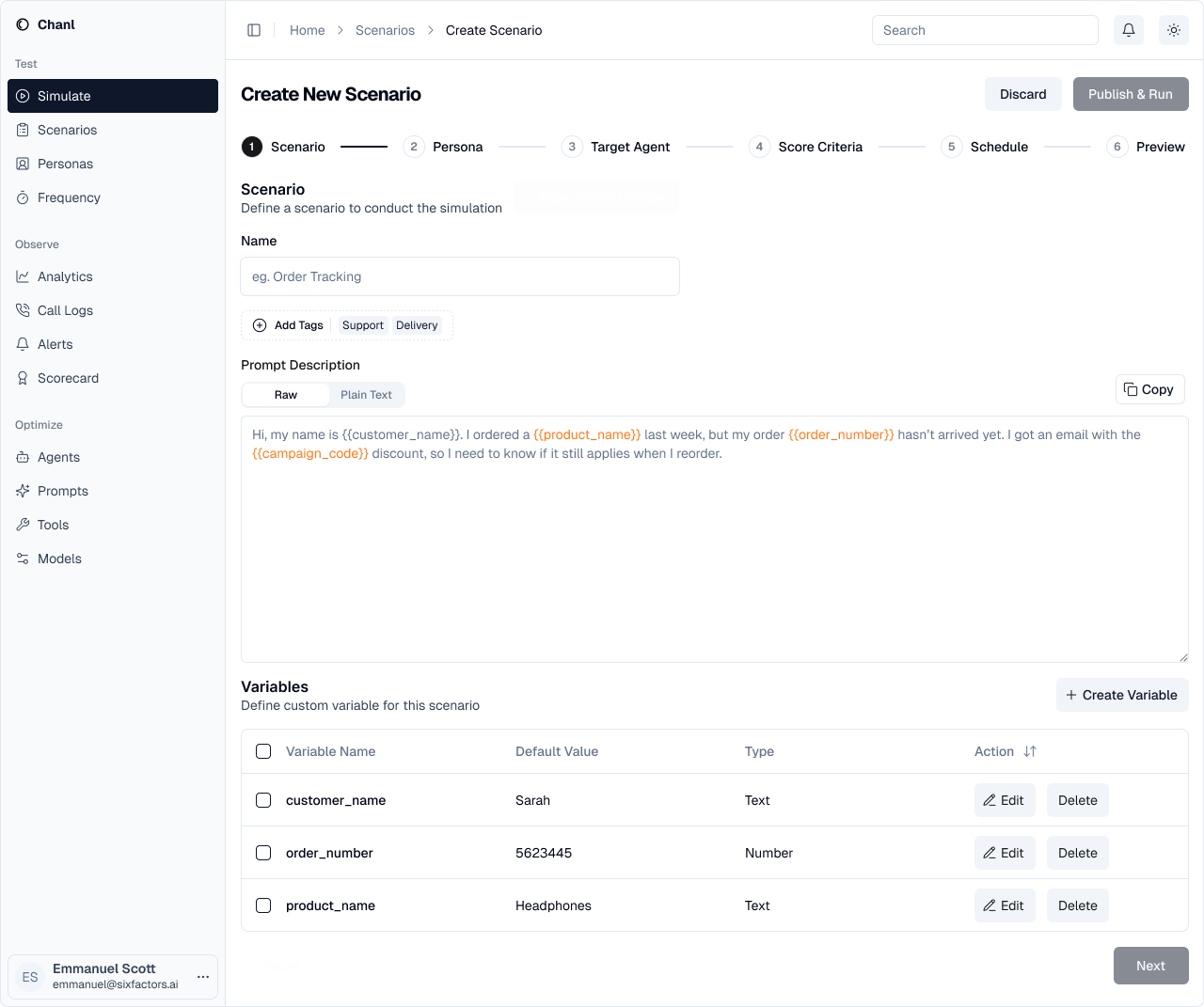
Step 1: Define the Situation
Name your scenario and describe what's happening. Use variables ({{customer_name}}, {{order_id}}) to make scenarios reusable across different contexts.
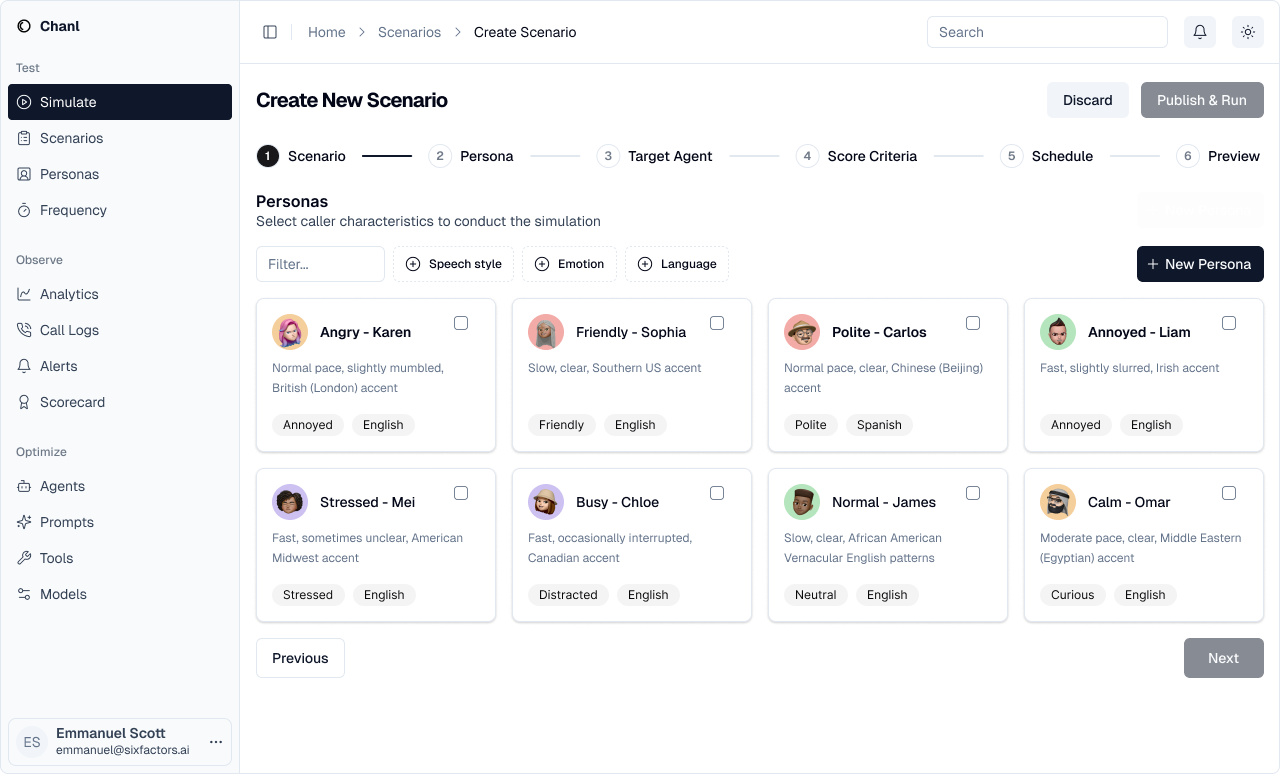
Step 2: Pick Personas
Select which AI personas will play the caller. Each persona brings different behavior — frustrated, confused, analytical, impatient.
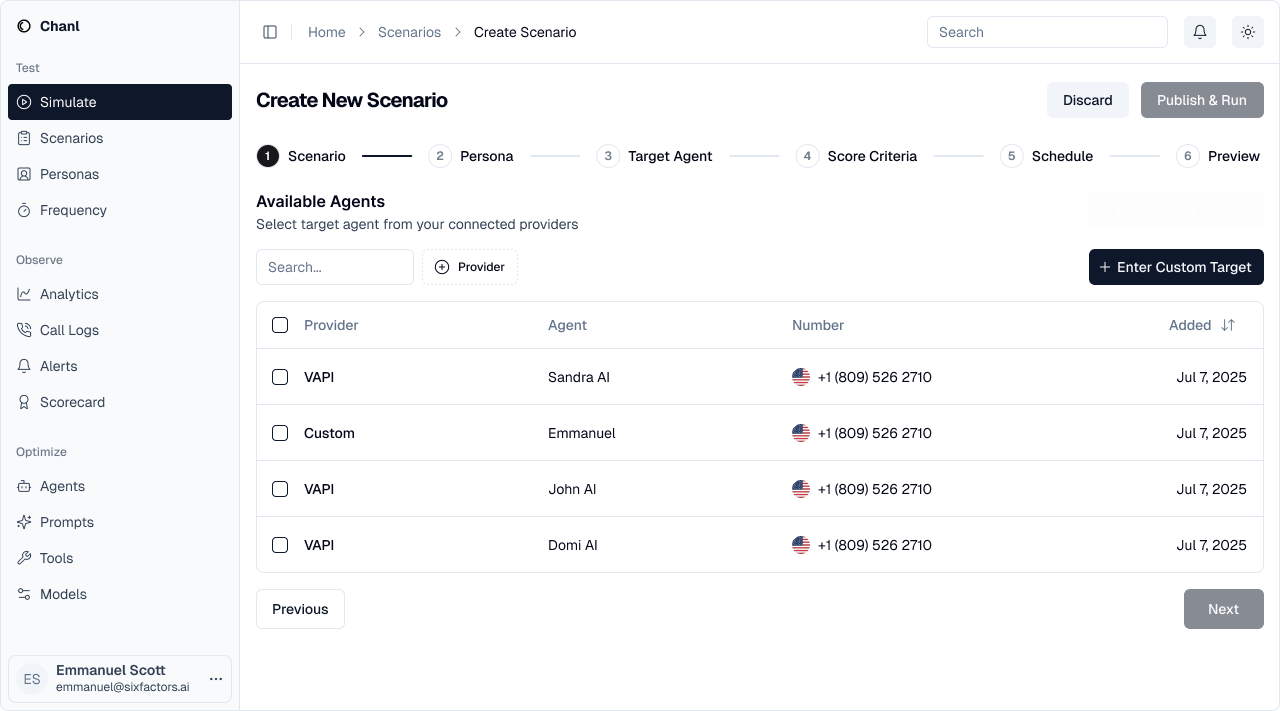
Step 3: Select Agents
Choose which agent configurations to test against. You can test multiple versions side by side.
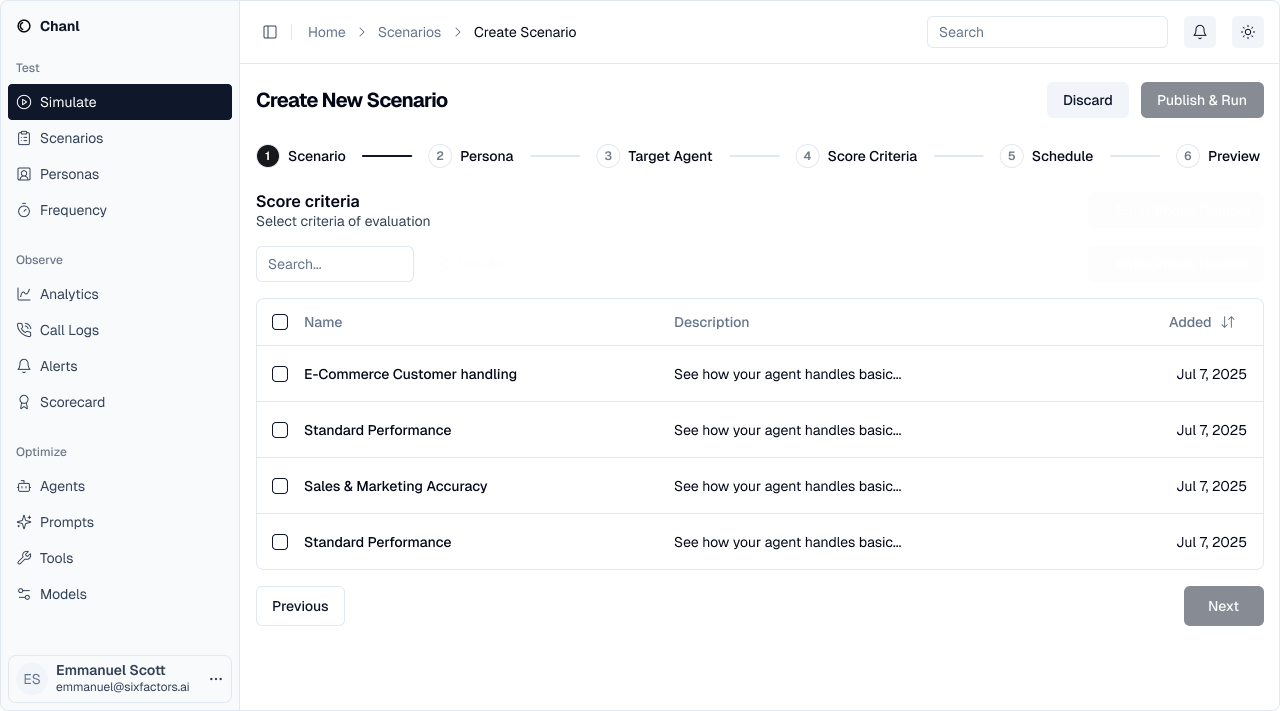
Step 4: Attach a Scorecard
Pick the scorecard that grades each conversation. Scorecards define what "good" looks like — accuracy, compliance, empathy, resolution.
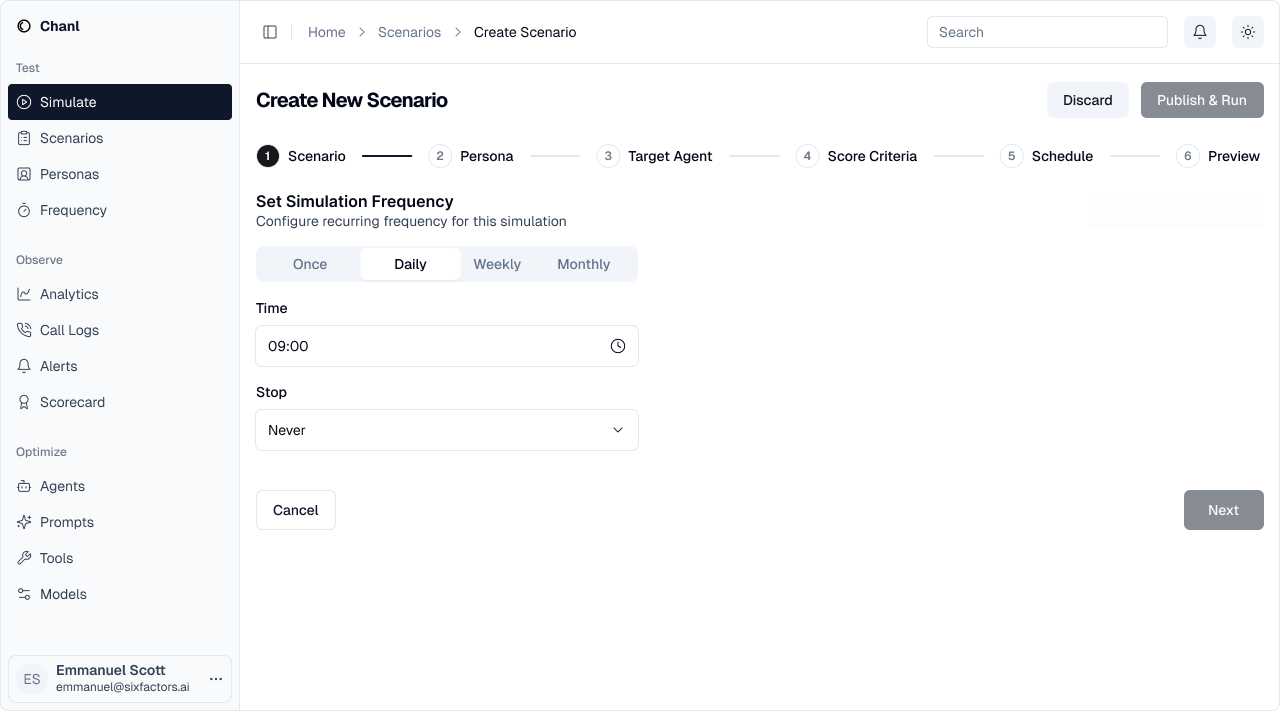
Step 5: Schedule (Optional)
Run once, or set up recurring tests — daily, weekly, or on a cron schedule. Recurring tests catch regressions when model updates or prompt changes silently break things.
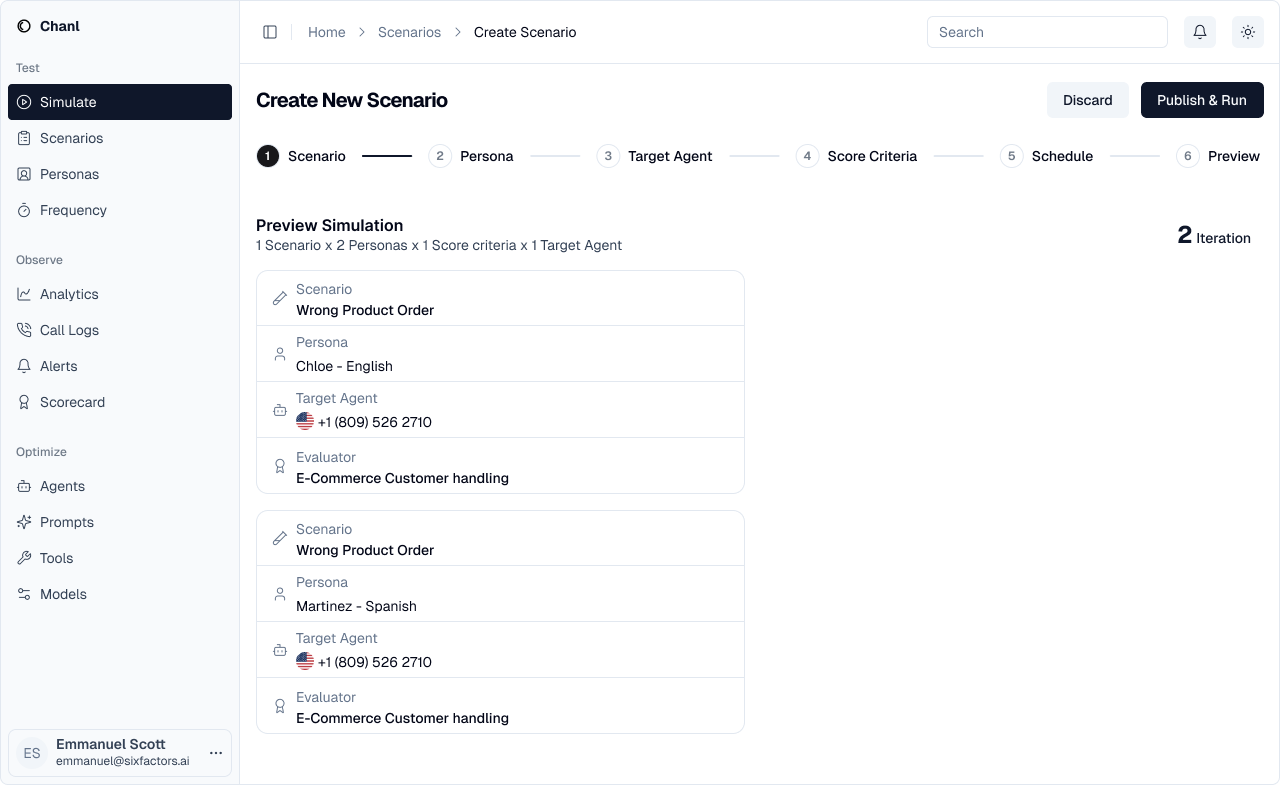
Step 6: Review and Run
Preview every combination that will run, then hit Execute.
curl -X POST "https://api.chanl.ai/api/v1/scenarios" \
  -H "Authorization: Bearer <access_token>" \
  -H "Content-Type: application/json" \
  -d '{
    "name": "Refund Request Handling",
    "prompt": "Customer purchased a product 2 weeks ago and wants a refund because it doesnt meet expectations.",
    "personaIds": ["persona_abc", "persona_def"],
    "agentIds": ["agent_123"],
    "scorecardId": "scorecard_456"
  }'
const scenario = await fetch('https://api.chanl.ai/api/v1/scenarios', {
method: 'POST',
headers: {
'Authorization': `Bearer ${accessToken}`,
'Content-Type': 'application/json',
},
body: JSON.stringify({
name: 'Refund Request Handling',
prompt: 'Customer purchased a product 2 weeks ago and wants a refund...',
personaIds: ['persona_abc', 'persona_def'],
agentIds: ['agent_123'],
scorecardId: 'scorecard_456',
}),
});Running Scenarios
After creating a scenario, execute it:
curl -X POST "https://api.chanl.ai/api/v1/scenarios/<id>/execute" \
  -H "Authorization: Bearer <access_token>"
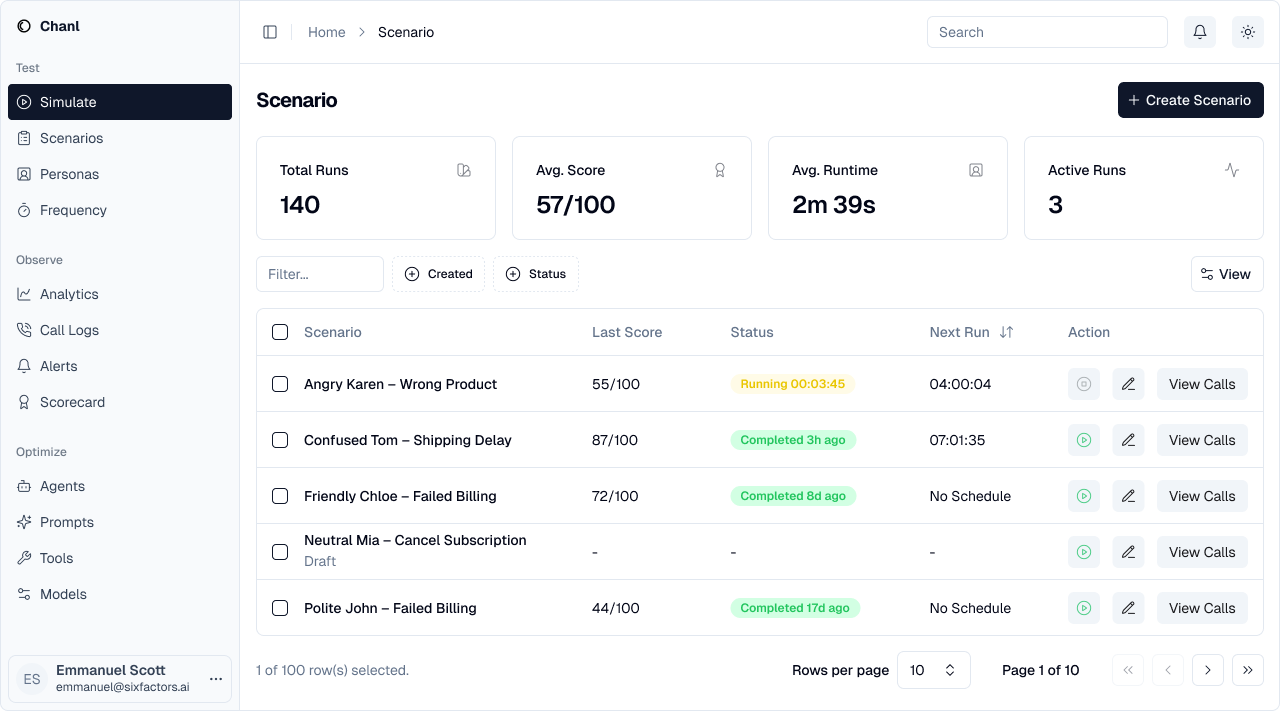
Chanl runs every persona × agent combination as a separate simulation. Results typically complete in 1-2 minutes. View them in Observe → Analytics or fetch via API.
Reading Results
Each simulation produces:
| Output | What You Get |
|---|---|
| Score | Overall pass/fail + per-criteria breakdown from the scorecard |
| Transcript | Full conversation text with speaker turns |
| Audio | Recording of the simulated call |
| Analysis | AI-powered insights — what worked, what failed, why |
Regression Testing
Agents degrade silently. A model update changes behavior. A knowledge base entry gets stale. A tool endpoint goes down. You don't notice until a customer does.
Schedule scenarios to run automatically — daily, weekly, or after every deployment. Chanl tracks scores over time so you can spot regressions instantly.
Set up a scenario that runs every morning at 9 AM. If the score drops below your threshold, you'll know before your team starts their day — not after a customer complaint.